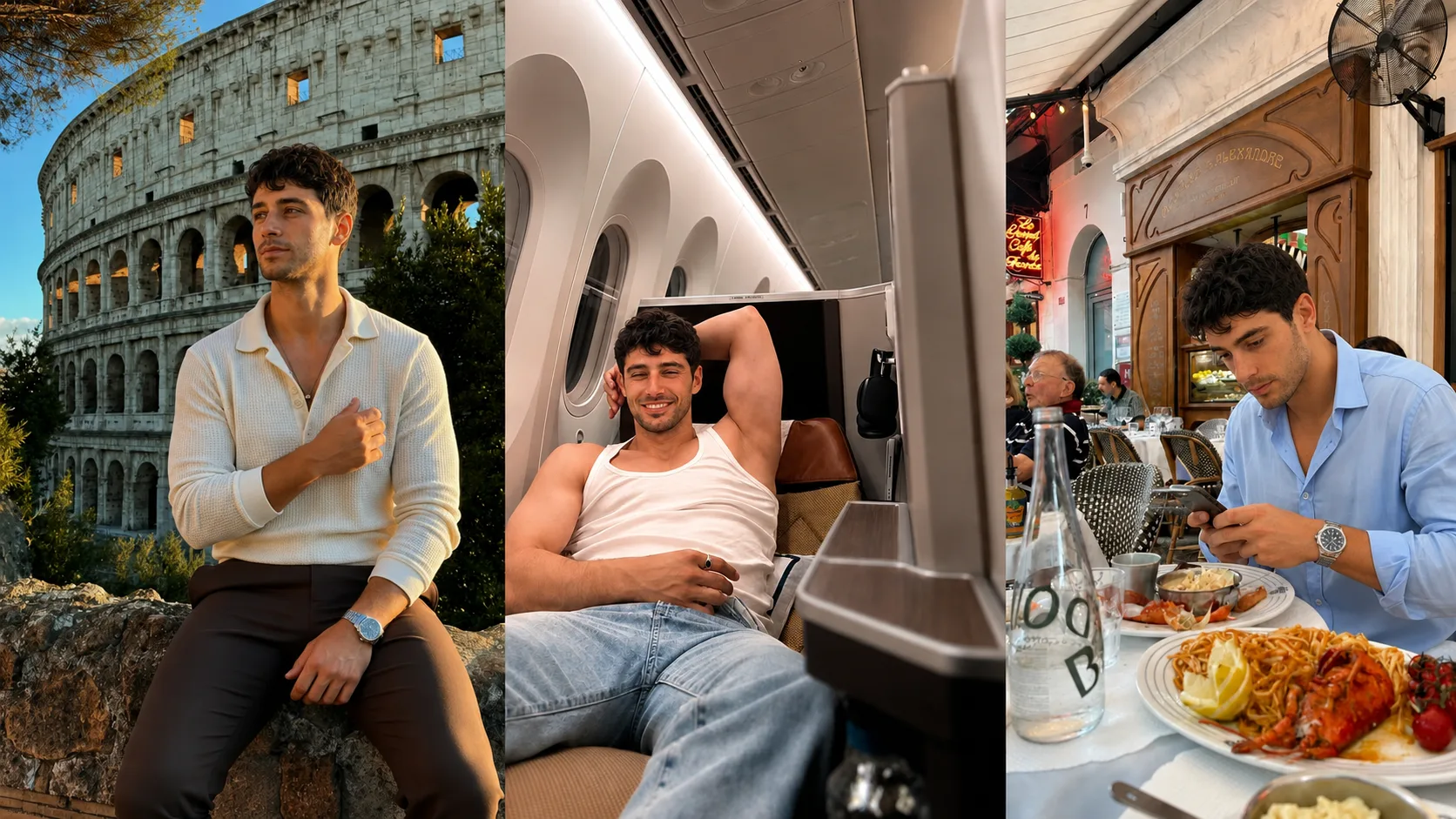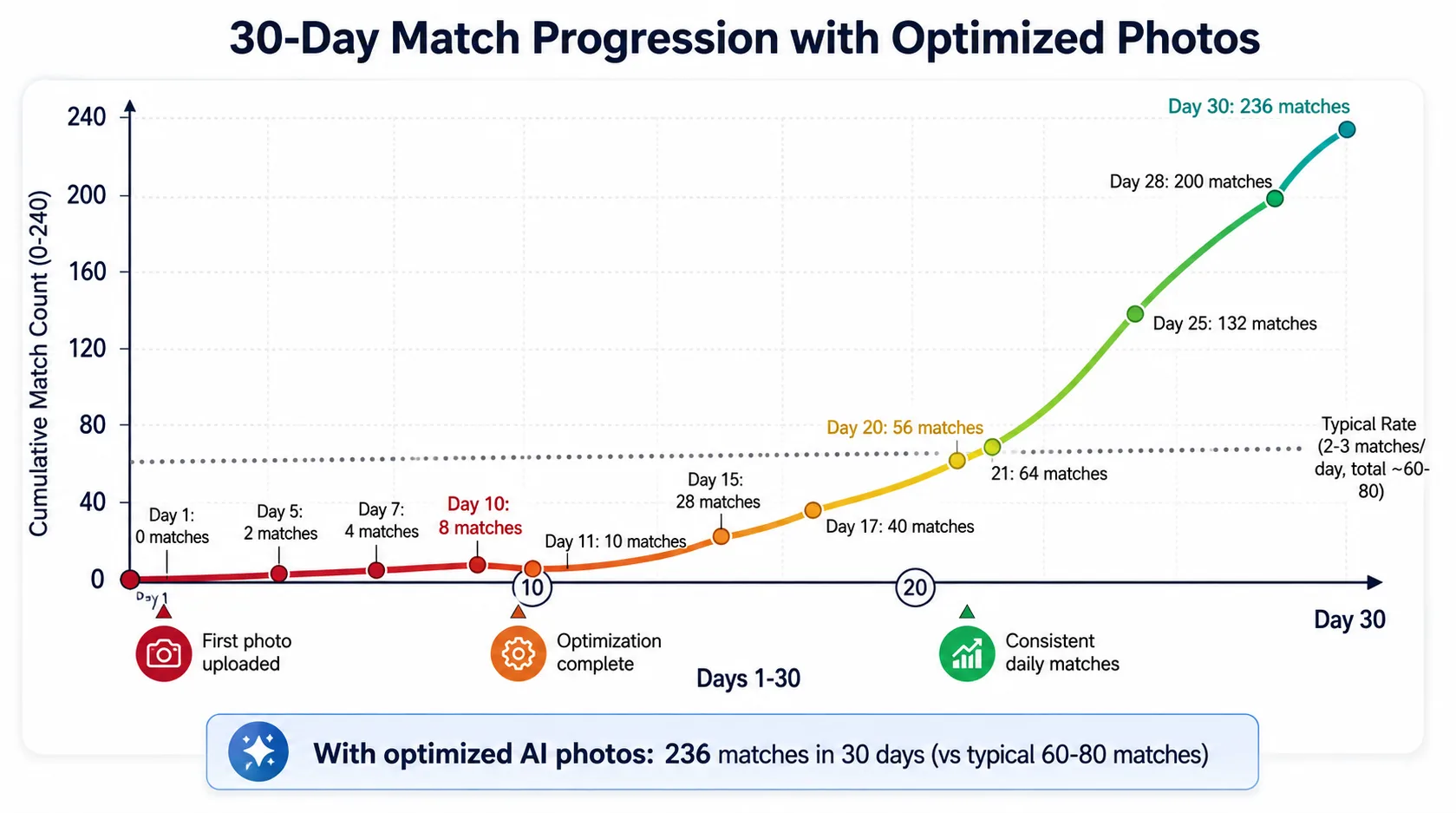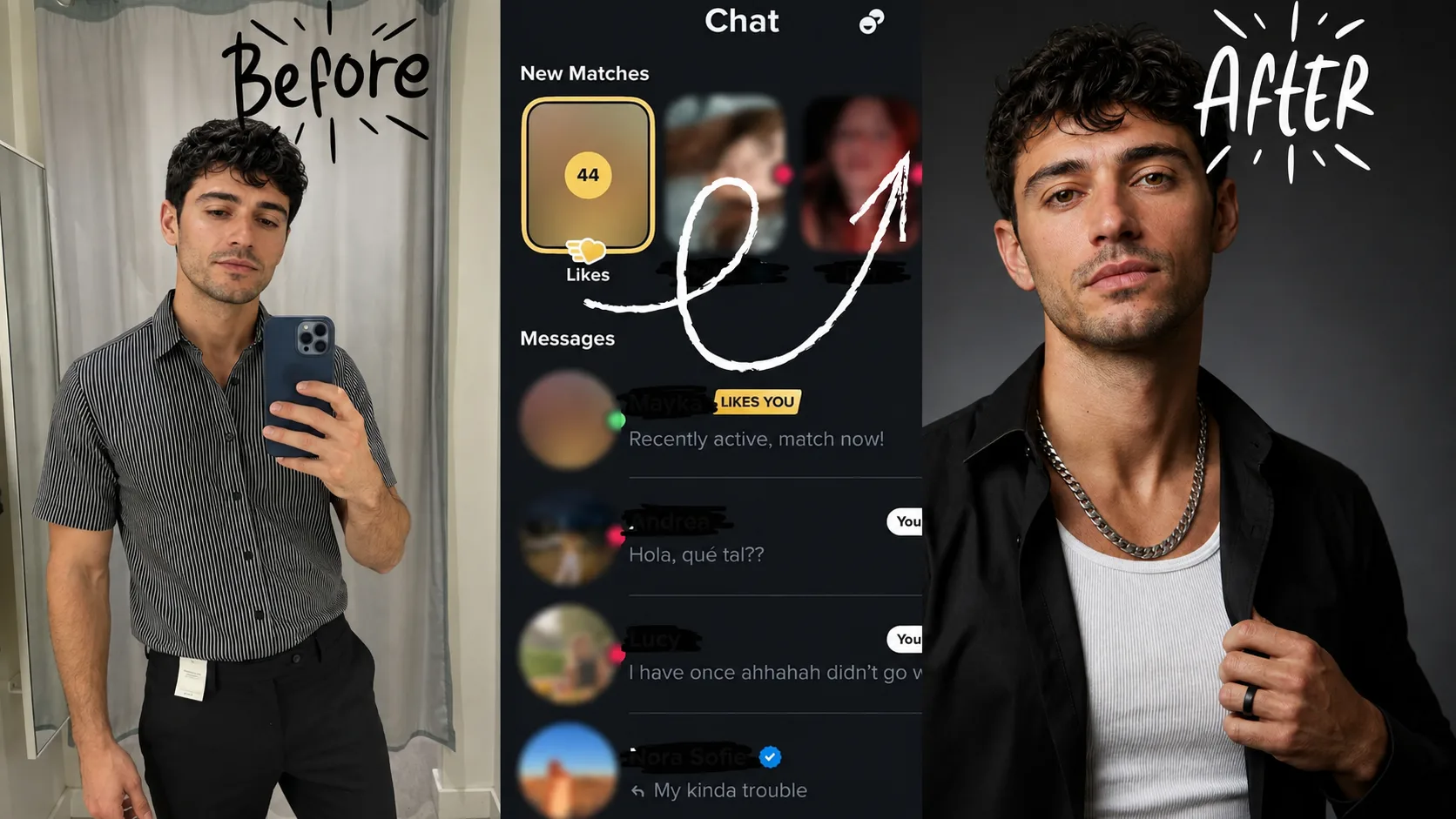

TL;DR: Tinder now requires new users in the US (and a growing list of other markets) to pass Face Check, a video selfie that is compared against your profile photos — so the generator you pick has to treat your face as a fixed constraint rather than something to prettify. Dating Pics uses models tuned for dating photos rather than general portrait data, delivers standard photos in about a minute, and keeps your real facial features every time. A varied photo set gives someone more than one reason to stop scrolling.
In this guide:
- Is There a Free AI Tinder Photo Generator?
- Why Most AI Photo Tools Fail on Tinder
- What Makes a Tinder-Optimized AI Photo
- Dating Pics: Built for Tinder Specifically
- AI Tinder Photo Comparison Table
- Step-by-Step: Generate Your Tinder Photos
- The Face Check Problem and How to Solve It
- What Photos to Choose From Your AI Set
- FAQ
- The Bottom Line
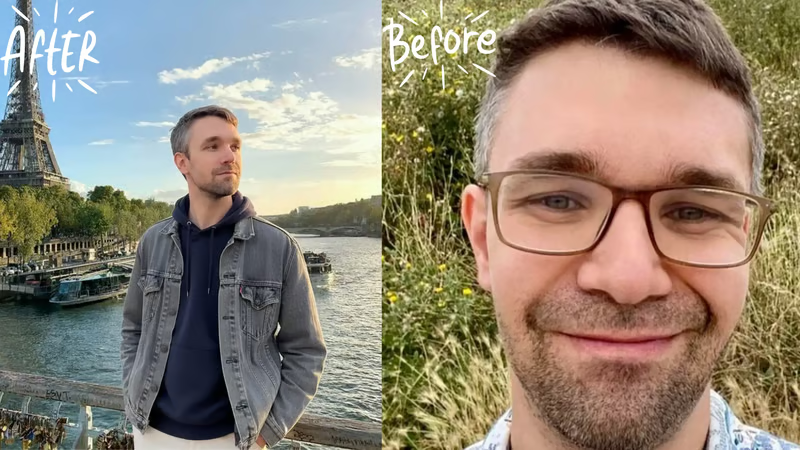
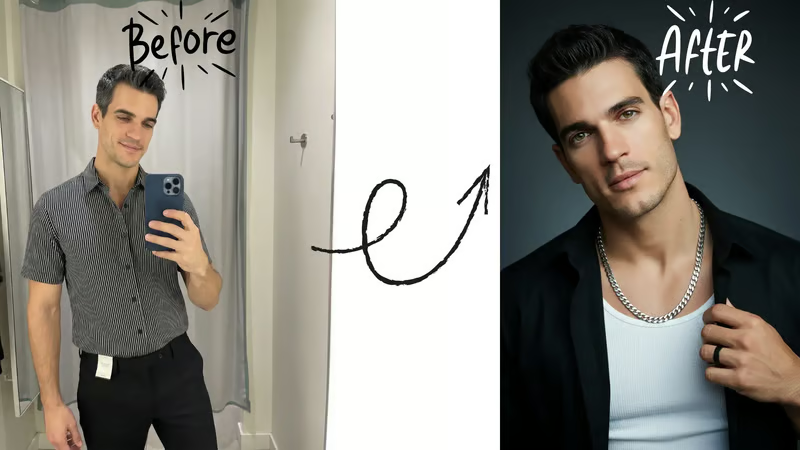
Marcus came to me after two months of zero matches on Tinder. Good-looking guy, solid bio, consistent. He'd already tried two AI photo generators and gotten burned both times. One produced plastic-looking skin that anyone could spot instantly. The other generated a guy who looked like a slightly better-looking stranger. Neither one still looked like him.
That's not a Marcus problem. It's a tool problem.
Here's the thing most "best AI photo tools" articles won't tell you: Tinder now runs mandatory face verification for new users across the US, and it uses facial geometry mapping to confirm your profile photos match the person in your video selfie. A 2025 Tinder press release confirmed Face Check is rolling out nationally. That changes everything about which AI tools are actually usable.
Men on Tinder are already working at a disadvantage. SwipeStats research analyzing 7,079 profiles and 294 million swipes found the median male match rate is just 2.04%. Women swipe right on 7% of profiles; men swipe on 40%. The numbers are brutal. Your photos are the only variable you fully control.
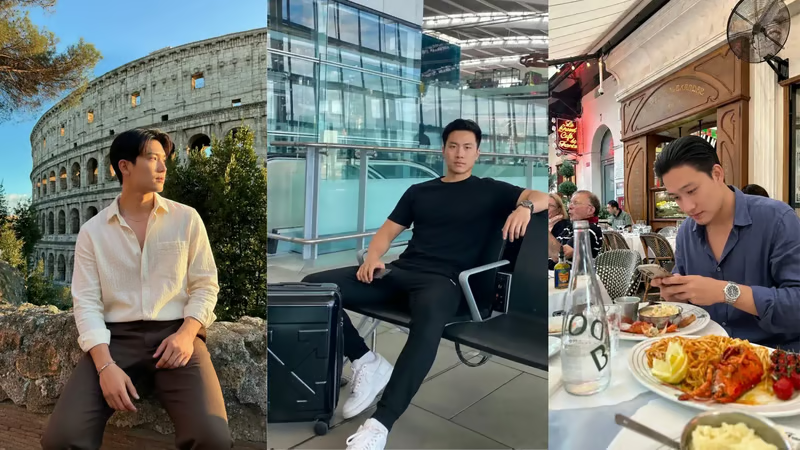
Is There a Free AI Tinder Photo Generator?
Short answer: you can make AI photos for free, but free general-purpose tools rarely produce photos you can actually use on Tinder.
- Free general AI image tools (ChatGPT image generation and similar apps) can create a nice-looking picture, but they are not built to hold your face constant. Expect drift in face shape, skin and age between shots — exactly what Tinder's Face Check and your matches notice.
- Free trials and watermarked previews from dating-specific tools let you judge quality, but usually not keep the photos.
- Paid dating-photo generators treat your face as a fixed constraint and give you a varied set built for dating apps.
If you want to spend as little as possible, do it in two steps. First, run your current photos through our free dating profile review — it scores each photo and tells you what to fix, no signup needed. You may find one or two of your existing photos are fine. Then, if you still need better ones, the Dating Pics Starter Pack is a one-time $9 for 20 photos — no subscription — so you can test results before committing to a plan.
Either way, be wary of any "free AI Tinder photo generator" that asks for your selfies without explaining how they're stored. Read the privacy policy before you upload.
Why Most AI Photo Tools Fail on Tinder
The problem isn't AI photos in general. The problem is AI photos built for Instagram or LinkedIn headshots being used on a platform with completely different scoring signals.
Tinder's algorithm doesn't just reward attractiveness. It rewards authenticity signals: natural skin texture, realistic background sharpness, face-to-frame ratios that match real phone camera captures, and lighting that doesn't look studio-produced. Research published in Frontiers in Communication (2025) found that blurriness and over-beautification in profile photos actually hurt dating outcomes, not help them.
Most AI photo generators over-smooth skin. They use a rendering style optimized for portraits, which creates that uncanny valley effect where the photo looks "almost real but not quite." Tinder users have been on the platform long enough to spot this pattern immediately.
The second failure is face drift. When a generator doesn't properly preserve your unique facial geometry, your AI photos look like a better-looking cousin rather than you on a good day. That creates a mismatch with face verification and, worse, creates disappointment when matches realize in person you look different.
Key takeaway: AI photo generators built for generic use fail on Tinder because they optimize for visual appeal over authenticity. Tinder's algorithm and its face verification system both penalize photos that don't match your real appearance.
What Makes an AI Photo Tinder-Optimized
Not all "good photos" are Tinder-good. The platform has specific signals that its algorithm rewards, and they're different from what works on Hinge or Bumble.
Tinder is a fast-swipe environment. Users decide in roughly 1.7 seconds. That means your lead photo has to do heavy lifting immediately: visible face, positive expression, and a background that signals lifestyle without competing for attention. A clear headshot with natural outdoor light typically outperforms studio-style shots.
Here's what Tinder-specific AI photos need:
- Face visibility: Your face occupies 40-60% of the first photo frame
- Natural lighting: Outdoor or window light, not flat studio fill
- Background sharpness: Some depth of field but not artificial blur that signals AI
- Outfit context: Casual to smart-casual (not formal), showing a lifestyle that's accessible
- Expression: Genuine smile or relaxed confident look (not posed grin)
- Skin texture: Real pores and subtle variation, not airbrushed smoothness
The AURA dating profile photo studyPhoto quality is one of the first things people judge on a dating profile. Photo quality is a stronger predictor of right-swipe rates than facial attractiveness itself.
That's the number I come back to with every client. You're not fighting genetics. You're fighting photo quality.
How to Evaluate an AI Tinder Photo Tool
We make Dating Pics, so treat our view of our own product with the scepticism it deserves. Rather than publishing rankings we can't independently verify, here's the checklist we'd use on any tool — including ours:
- Does every result still look like you? Same face shape, hairline, age and build. If a match wouldn't recognise you from the photo, it fails — no matter how good it looks.
- Is the skin realistic? Plastic, airbrushed skin is the most common giveaway of AI photos.
- Are there dating-relevant scenes? Cafés, travel, outdoors, hobbies — not just corporate headshots.
- How fast, and how much? Check current pricing and turnaround on each tool's own site; both change often.
- What happens to your photos? Read the privacy policy before uploading selfies anywhere.
A simple test for any AI photo: if you met your match tomorrow, would they immediately recognise you from this picture? If not, don't upload it.
How Dating Pics Approaches Tinder Photos
Dating Pics is built for dating profile photos rather than corporate headshots. You upload 4 clear selfies, pick a scene from a library of dating-oriented templates (cafés, travel, outdoors, lifestyle, date night) and generate new photos of yourself. Standard photos are ready in about a minute.
What we focus on for Tinder:
1. Keeping your real face. The goal isn't a better-looking stranger. The useful results keep your face shape and features while improving what a photographer would fix: lighting, background, framing and outfit.
2. Variety. Tinder profiles work best with several photos that each show something different. Generate across different scenes, then keep only the strongest few.
3. Honest selection. Not every output will be usable. Discard anything that changes how you look — that's both a Face Check risk and a first-date problem.
Plans start at $29/month, and there's a one-time $9 Starter Pack (20 photos) if you'd rather test before subscribing. If you're not sure your current photos need replacing, run them through the free dating profile review first.
See how Dating Pics works for Tinder →
Key takeaway: Whatever tool you use, judge it on one thing first — whether the photos still look exactly like you.
AI Tinder Photo Generator Comparison: What to Check
Pricing, speed and output counts change constantly, so instead of a table of numbers that would be out of date next month, here's how the main types of tools compare on what matters for Tinder:
| Type of tool | Keeps your face? | Dating-specific scenes | Typical cost | Main risk |
|---|---|---|---|---|
| Dating-focused AI generators (e.g. Dating Pics) | Designed to — check every result | Yes | One-time or monthly | Outputs that drift from how you look |
| General AI headshot tools | Usually | Limited, often corporate | One-time packs | Photos look like LinkedIn, not dating |
| Free general AI image tools | Inconsistent | Whatever you prompt | Free | Face changes between shots |
| Real photographer | Yes | Depends on the shoot | Typically $300–$500 | Cost, scheduling, can look staged |
The columns that matter most: whether the photos still look like you, and whether the scenes suit a dating profile. A gorgeous photo that doesn't match your face is worse than useless on an app that verifies faces.
What to avoid when choosing an AI Tinder photo tool
| ✅ Look For | ❌ Avoid |
|---|---|
| Face fidelity preservation | Face enhancement / idealization |
| Natural skin texture rendering | Smooth, airbrushed skin |
| Outdoor and lifestyle contexts | Only formal or headshot styles |
| Fast delivery (under 1 hour) | 24-48 hour waits |
| Dating-specific scenes and styles | Generic portrait AI |
| Clear guidance on keeping results realistic | No mention of verification |
| Enough variety to pick your best few | Under 30 outputs |
Key takeaway: The fastest way to evaluate an AI Tinder photo tool is to ask two questions: does it preserve your actual face geometry, and does it show you in a range of settings rather than one? If the tool can't answer both, keep looking.
Step-by-Step: How to Generate Your Tinder Photos With AI
The process takes about 10 minutes total. Here's exactly how to do it.
Step 1: Prepare your source selfies
☐ Take 8-12 selfies in good natural light (near a window, outdoors)
☐ Use different facial expressions, not all smiling the same way
☐ Vary head angles slightly (straight-on, 15 degrees left, 15 degrees right)
☐ Avoid sunglasses, hats, or heavy filters
☐ Include at least 2 full-face close-ups with no obstructions
The quality of your inputs directly affects output quality. Blurry, dark, or heavily filtered source photos result in weaker AI outputs.
Step 2: Upload to Dating Pics
☐ Go to datingprofilepics.app/ai-tinder-photos
☐ Upload your 8-12 selfies
☐ Select "Tinder" as your target platform
☐ Choose your style preferences (casual outdoor, smart casual, travel, social)
☐ Submit and wait about a minute
Step 3: Select your best 6-9 photos
☐ Pick a clear, smiling headshot for photo #1 (the most important selection)
☐ Choose at least one outdoor photo showing lifestyle context
☐ Include one photo showing you at your full height
☐ Avoid selecting two photos with identical expressions
☐ Prioritize variety in settings and outfits
Step 4: Run your Tinder Face Check
Tinder will prompt you for a liveness check when you set up or update your profile. This is a short video selfie that the system uses to confirm your profile photos match your face. Because Dating Pics preserves your real facial geometry, this check passes automatically.
☐ Complete the liveness check in good natural light
☐ Look directly at the camera with a relaxed expression
☐ Move your head as prompted (Tinder traces your FaceMap)
☐ Wait for confirmation that your photos are verified
Step 5: Monitor your first 24 hours
The first day after activating your new photos is critical. Tinder's algorithm gives new or significantly-updated profiles a temporary boost window. You want to be active during this period to capitalize on increased visibility.
The Face Check Problem: Why It Changes Everything
In October 2025, Tinder announced mandatory Face Check for all new U.S. users, with a national rollout in progress. The feature uses facial geometry mapping to create a "FaceVector" for your face and then confirms every profile photo matches that geometry.
This isn't a simple "does this look like you" check. It's a technical biometric comparison.
For AI photos, this creates a hard filter. Any generator that enhances or modifies your facial structure will produce photos that fail verification. That includes tools that slim your jaw, brighten your eyes, or make you look five years younger by subtly altering proportions. Looks great. Fails the check.
The photos that work are the ones that treat your face as a fixed constraint and change only what's around it: lighting, background, outfit and context. That's the approach Dating Pics takes — but with any tool, check each result yourself and only upload the ones that clearly look like you.
Here's what the Tinder Face Check policy page says directly:
"We use facial scanning technology to check that the video was taken of a real, live person, and that it was not digitally altered or manipulated. This technology also detects your face in your video selfie and your profile photos, and uses your facial geometry ('FaceMap') to generate a unique number ('FaceVector')."
That's the standard. Your AI photos have to match your FaceVector.
Face verification isn't going away. It's getting stricter. Choosing a tool that handles this properly is now the first decision, not an afterthought.
Key takeaway: Face Check compares your profile photos with a live video selfie, so any photo that changes your face is a liability. Use AI photos only if they preserve your real facial features.
What Photos to Choose From Your AI Set
You'll generate several photos per run. Selecting the right six for your Tinder profile is where the real work happens.
The research on photo selection is clear. Hinge's internal analysis of 180,000 photosTravel and activity photos give people something specific to ask about. Context matters as much as aesthetics.
Here's how to select from your Dating Pics set:
Photo 1 (make or break): Clear face visible, genuine or relaxed smile, outdoor or bright indoor light, no accessories blocking your face. This is the photo that drives 70% of initial swipe decisions.
Photo 2 (lifestyle anchor): An outdoor or activity context showing you in a real environment. Coffee shop, city street, park, casual outdoors. Shows you exist outside of selfie situations.
Photo 3 (full context): A photo where your full height and build are visible. Not necessarily a full-body shot, but enough context that someone can see your proportions.
Photo 4 (personality signal): A photo that shows something interesting or different. Travel context, a sport or hobby activity, or a social gathering that shows you have a life outside Tinder.
Photo 5 (secondary headshot): A different expression from Photo 1. If Photo 1 is a smile, Photo 5 might be a more relaxed, confident look. Variety prevents the profile from feeling like a single photo session.
Photo 6 (optional, high quality): If you have a strong sixth option, use it. Profiles with six photos significantly outperform profiles with three or four, according to multiple studies on Tinder performance.
What to avoid regardless of quality: two photos with identical expressions, any two photos clearly from the same session (same outfit, same background), group photos before you've established your look individually.
The travel and outdoor contexts from Dating Pics align with exactly what Hinge's data (and by extension, dating app data broadly) shows performs best.
Key takeaway: Photo selection from your AI set matters as much as the generation itself. Lead with your clearest headshot, anchor your second with lifestyle context, and use all six slots with genuine variety across expressions and settings.
Frequently Asked Questions
Is there a free AI Tinder photo generator?
General AI image tools can be used for free, but they don't keep your face consistent, which matters for Tinder's Face Check. A cheaper route is to check your existing photos with the free dating profile review first, then try a one-time $9 Starter Pack (20 photos) if you need new ones.
Do AI photos work on Tinder in 2026?
Yes, but only if the photos preserve your real face geometry and pass Tinder's Face Check verification. AI photos that idealize or alter your face fail verification and can hurt your account standing. Tools tuned for dating photos hold face geometry as a constraint rather than a suggestion.
Does Tinder allow AI-generated photos?
Tinder doesn't explicitly prohibit AI-generated photos in its current guidelines, but it requires that your photos match your real face through its Face Check liveness verification system. This means photos that look like you but are clearly authentic-quality are allowed, while photos that show a different or idealized face will fail verification. The key is face fidelity, not the generation method.
Can AI photos pass Tinder face verification?
Some can, most can't. Tinder's Face Check creates a "FaceVector" from your real face geometry and checks that all profile photos match it. AI tools that preserve your real facial structure pass consistently. Tools that enhance, slim, or idealize your face fail. Dating Pics's model treats face geometry as a fixed constraint rather than something to prettify.
How many selfies do I need to generate good AI Tinder photos?
8-12 selfies is the optimal input range. More isn't always better, but fewer than 6 produces lower-quality outputs because the AI has less data to accurately capture your specific features. Vary your expressions and angles slightly, use good natural light, and avoid sunglasses or heavy filters in your source photos.
How long does it take to get AI Tinder photos?
With Dating Pics, about a minute per batch of standard photos. Other tools range from 30 minutes (Photo AI) to 24-48 hours (Profile Bakery). For most users, delivery speed matters because you want to act during Tinder's boost window for new or recently-updated profiles.
What's the difference between AI Tinder photos and regular AI headshots?
A regular AI headshot is optimized for professional use: LinkedIn, resumes, websites. It tends toward formal framing, studio lighting, and conservative presentation. AI Tinder photos are optimized for swipe behavior: outdoor contexts, lifestyle signals, casual-to-smart-casual range, and the visual variety that tells a story across 6 photos rather than one. The underlying AI model needs to understand what drives swipe-right behavior, not just what looks impressive in isolation.
Will my matches notice the photos are AI-generated?
Not if you use a tool with high face fidelity. The concern is valid but the framing is often wrong. People don't ask "is this AI?" They ask "does this person look good?" and "does this look like a real person's life?" A photo of you in perfect lighting outdoors doesn't read as AI, it reads as a good photo. The accounts that get called out are the ones using tools that make them look like a different person or produce obviously synthetic environments.
Why do people on Reddit say AI photos don't work on Tinder?
The Reddit discussions about AI photos failing usually come from users who tried free tools (ChatGPT image generation, generic AI apps) and got obvious-looking results that failed face check or got flagged. The critique is valid for those tools. The experience is completely different with a purpose-built dating tool that preserves face geometry and produces realistic outputs. The SwipeHelper community has multiple guides from users who achieved significant match rate improvements specifically using dedicated dating photo AI tools.
Does using AI photos affect Tinder's algorithm score?
The Bottom Line
The AI photo generator landscape for Tinder changed significantly when Face Check went mandatory. Most generic tools that worked fine a year ago now produce photos that fail verification. That's not a minor inconvenience. It's a hard blocker.
The tools worth using in 2026 are the ones that treat face preservation as the primary constraint, not an afterthought. Dating Pics was built around this from the start.
That's the result worth chasing. Not prettier photos. More matches from photos that look like the real you on your best day, in contexts that actually signal an interesting life.
According to Pew Research Center's 2023 online dating study, 30% of U.S. adults have used a dating app, and among users under 30, the majority describe their experience as "frustrating." Photos aren't the only variable, but they're the one you can fix today.
What's stopping you from upgrading your profile this afternoon:
- Time: Under 10 minutes total (5 minutes to take input selfies, about a minute to generate)
- Cost: Starting from $29
- Risk: None. If the results don't improve your profile, you haven't lost your existing photos
Starting from $29. 14-day satisfaction guarantee.
About the Author
Elliot Vance writes about dating profile photography for Dating Pics. The guides here draw on published research and each platform's own documentation, linked inline where it matters. Dating Pics was built around one constraint the general-purpose tools treat as optional: the result has to still look like you. His work has been featured across the dating optimization community and his profile audits have helped clients across North America, Europe, and Australia.
Master Your Tinder Strategy
Every part of your Tinder profile works together. These guides cover the full picture:
AI Tinder Photos: The Full Landing Page: see exactly what Dating Pics generates and how the process works from upload to delivery.
Getting Zero Matches on Tinder?: photos are often the issue, but Tinder's algorithm has other levers. This guide covers the full fix protocol including visibility issue detection.
Best Tinder Photo Types: Composition and Context: after you have your AI photos, this guide explains how to select and sequence them for maximum profile performance.
Best AI Hinge Photo Generator and Best AI Bumble Photo Generator: if you're running cross-platform, each app has different photo signals. These guides cover Hinge and Bumble specifically.