
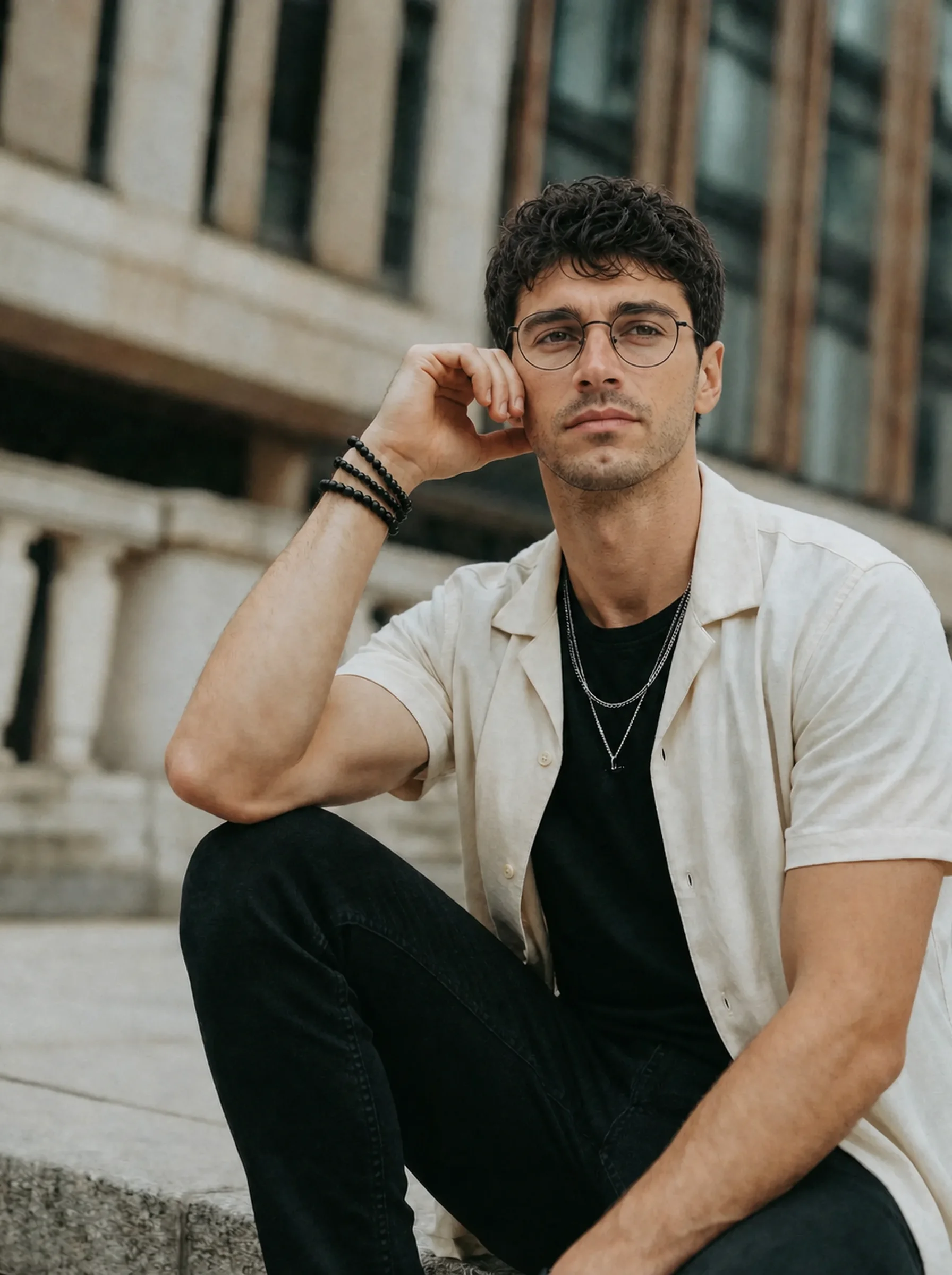
No friend, no photographer — just your phone, a timer and half an hour.
The Short Answer
To take good dating photos by yourself, use your phone's rear camera on a tripod or a stable surface, set it at chest-to-eye height about two to three metres away, shoot in soft daylight (open shade or an overcast day), and use the timer with burst mode or a short video so you can move naturally and pick the best frame afterwards.
Change one thing between setups — outfit, location or activity — and you can get a clear face photo, a full-body photo and two or three lifestyle photos in about 30 minutes.
What You Need
- Your phone. Any recent phone is enough. Clean the lens first — a smudge is the most common cause of hazy photos.
- A small tripod with a phone clamp, or anything stable at the right height: a wall, a car roof, a stack of books.
- A way to trigger the shutter: the built-in timer, a cheap Bluetooth remote, or a smartwatch that controls the camera.
- Two or three outfits you actually wear. Solid colours photograph better than busy patterns.
Camera Position and Lens
Use the rear camera, not the front one. It's almost always the better camera, and it forces you to put distance between you and the lens.
Distance matters more than people think. A 2018 study in JAMA Facial Plastic Surgery found that at selfie distance (about 30 cm) the nose looks around 30% wider than from 1.5 metres, and that the effect disappears at 1.5 metres. Practically: stand at least a couple of metres from the phone, and if your phone has a 2× or 3× lens, use it for face and half-body shots.
- Height: chest to eye level. Low angles are unflattering for almost everyone; very high angles look like a selfie.
- Framing: for the face photo, chest-up with some space above your head. For full-body, leave space below your feet so nothing is cropped at the ankles.
- Lock focus and exposure on the spot where you'll stand (tap and hold on most phones) before you start the timer.
- Avoid ultra-wide (0.5×) for anything with you in it — it stretches faces and bodies near the edges.
Light and Location
| Light | Result |
|---|---|
| Open shade on a sunny day (next to a building, under a tree) | Soft and even — the easiest good light |
| Overcast day | Soft everywhere; great for full-body shots |
| The hour after sunrise / before sunset | Warm and flattering, but changes fast |
| Facing a large window indoors | Good for the face photo; turn off overhead lights |
| Harsh midday sun | Squinting and hard shadows under the eyes — avoid |
| Overhead bulbs at night | Dark eye sockets, grainy photos — avoid |
Pick places that say something true about your life: your neighbourhood café, a park you walk in, a market, a trail. Plain backgrounds work for the face photo; a bit of context works for the rest. Quiet times (early morning, weekdays) make shooting alone much less awkward.
How to Look Natural, Not Posed
Most self-timer photos look stiff because people freeze and stare at the lens. Give yourself something to do instead:
- Use burst mode or record a video. Walk towards the camera, turn to look at something, laugh at nothing in particular, then pick the best frame. Check the frame you choose is sharp — video frames can be soft.
- Move between shots. Adjust a sleeve, sit down, lean on a railing, hold a coffee.
- Look away in some photos. Not every photo needs eye contact; the face photo does.
- Breathe out and drop your shoulders just before the shutter. Tension shows in the neck and jaw.
- Smile with something real in mind rather than holding a smile for ten seconds while the timer counts down.
Want to know if your photos are holding you back?
The free dating profile review scores any photo and tells you exactly what to fix — no signup.
Review my photo free →A 30-Minute Shot List
- Face photo (5 min). Facing open shade or a window, chest-up, 2× lens if you have one, slight smile, looking at the lens. This is your first photo.
- Full-body (5 min). Phone at waist-to-chest height, three metres away, walking slowly towards it or standing relaxed. Use video and pick a frame.
- Lifestyle (10 min). Change top. Sit at a café table or on a bench, coffee or book in hand, looking slightly away.
- Activity or interest (10 min). Something you actually do — cooking, your bike, your dog, an instrument. Wide enough to see what you're doing.
That's four of the five photo types most profiles need. The fifth — a conversation-starter — often comes from a trip or event you already have photos of. More on the full set in what to do when you have no good pictures.
Choosing and Editing Your Photos
- Pick the sharpest frame, not just the best expression — zoom in on your eyes before deciding.
- Edit lightly: straighten, crop, small exposure and warmth tweaks. No skin smoothing or face-shaping filters.
- Upload the original file, not a screenshot or a copy sent through a messaging app — those are compressed and look soft on dating apps (see why Tinder photos look blurry).
- Get a second opinion. Ask someone whose taste you trust, or run your favourites through the free dating profile review.
If Taking Your Own Photos Isn't Working
Some people hate it, and that's fine. The realistic alternatives:
| Option | When it makes sense |
|---|---|
| Ask one friend for 20 minutes | Fastest way to get candid full-body shots |
| A dating photographer | You have the budget and want the most natural result — see photographer vs AI |
| AI photos from your selfies | You need variety (settings, outfits) quickly — keep only results that still look like you |
Dating Pics generates new photos of you from 4 clear selfies in dating-oriented scenes; standard photos take about a minute each. It works best alongside a couple of real photos, not instead of all of them — and any result that changes how you look should be thrown out. See can people tell your dating photos are AI? for what to check.
Questions People Ask
Can I take good dating photos with an iPhone?
Yes. Use the rear camera, a tripod or stable surface, soft daylight and the timer or burst mode. The phone matters far less than distance and light.
How far away should the camera be?
About two to three metres for half-body and full-body shots. For the face photo, stay at least a metre or two away and use the 2× lens if your phone has one.
Should I use portrait mode?
It's fine for the face photo if the edges around your hair look clean. Check closely — blurred-out ears and glasses frames look obviously fake.
Can I use screenshots from a video?
Yes, if the frame is sharp. Record in the highest resolution your phone offers and pick a frame where you're not mid-movement.
What should I wear?
Clothes you actually wear, that fit well, in solid colours. Bring two or three options so your photos don't all look like the same day.
How do I take dating photos without asking friends?
Tripod, timer, video and a quiet location. Early mornings and weekdays make it far less awkward.